Vector iControl1.1.0
Publisher Description
Compulite’s lighting consoles are based on the most advanced computer networking technologies which deliver unmatched performance and reliability with high level functionality and sophistication. Compulite’s consoles were designed for use in theaters, opera and ballet houses, television sets, shows, concerts, theme parks, clubs, exhibitions, industrial shows and more.
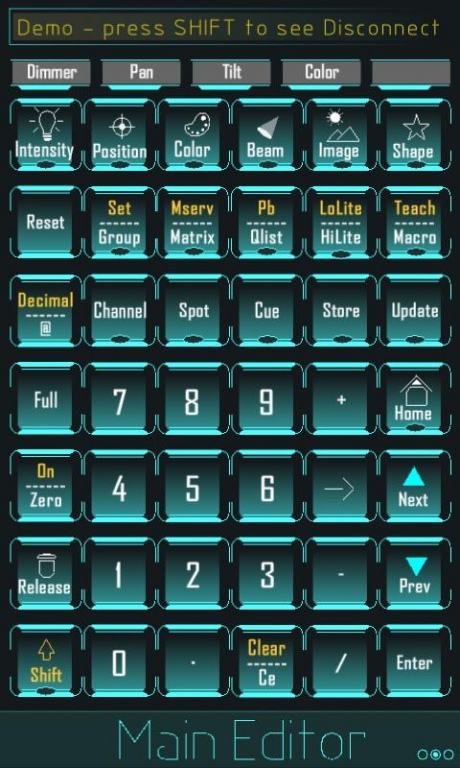
Compulite's Vector iControl App for the Android users is a powerful application to remotely control and edit basic functions of all Vector lighting consoles. The App provides real-time information of the Console through a friendly user Interface. By using the Vector iControl App, you are able to control moving lights, conventional lights, create and store Cues and libraries, add groups, control highlight and lowlight and more. The Application also allows you to control Dimmer levels through an interactive Dimmer Wheel, Pan and Tilt through an interactive trackball as well as the ability to control all other parameters using an interactive wheel, all from a remote location anywhere within your local area network.
Features:
- Full real-time control of Vector consoles.
- An automatically generated IP list of available Vector consoles.
- An echo line (Command line) displaying real-time state of the Console.
- Constant connection monitoring.
- Interactive dimmer wheel, wheel and trackball.
- Multiple iControls can be connected to one console at a time.
- Ability to control moving and conventional lights.
- Create and control Cues, Libraries and Groups.
- Keyboard view of the Console.
- Easy to read panel screen.
- Macro page for controlling Macros more quickly.
For more information about Compulite’s lighting consoles, check out our website
www.compulite.com.
About Vector iControl
The company that develops Vector iControl is Compulite Systems 2000 Ltd. The latest version released by its developer is 1.1.0. This app was rated by 1 users of our site and has an average rating of 5.0.
To install Vector iControl on your Android device, just click the green Continue To App button above to start the installation process. The app is listed on our website since 2013-05-09 and was downloaded 87 times. We have already checked if the download link is safe, however for your own protection we recommend that you scan the downloaded app with your antivirus. Your antivirus may detect the Vector iControl as malware as malware if the download link to air.com.compulite.vectoricontrol is broken.
How to install Vector iControl on your Android device:
- Click on the Continue To App button on our website. This will redirect you to Google Play.
- Once the Vector iControl is shown in the Google Play listing of your Android device, you can start its download and installation. Tap on the Install button located below the search bar and to the right of the app icon.
- A pop-up window with the permissions required by Vector iControl will be shown. Click on Accept to continue the process.
- Vector iControl will be downloaded onto your device, displaying a progress. Once the download completes, the installation will start and you'll get a notification after the installation is finished.
Program Details
System requirements
Download information
Pricing
Version History
version 1.1.0
posted on 2013-05-09
- New default black skin.,- Options menu for changing skin and disconnecting.,- Added arrows to the TrackBall for better control.,- Wheels LCDs are now lighten up when a parameter is there.,- Shift key is now lighten up when activated.,- Keys that have shift function are showing only the button text and it will be changed when the shift is pressed. These keys also have an indication that the shift functionality is there.,- Reduced texts on keys to make them more clear.,- Small bug fixes.
version 1.1.0
posted on 2013-05-09
Several fixes and updates
